


The real product
- ✓Unlimited label layouts
- ✓The desktop Connector and real printing
- ✓Zebra and DYMO printer support
- ✓Print history
- ✓Up to 1 team member, you included
Whatever you build during the trial stays on your account if you subscribe.

Creating Barcode Labels Has Never Been Easier

Make selling a breeze with instant barcodes your POS recognizes. With ScanSimple, you can generate custom barcode labels in just three easy steps - scan your product’s barcode, specify the quantity, and print. Check out now be as simple as scanning the label.

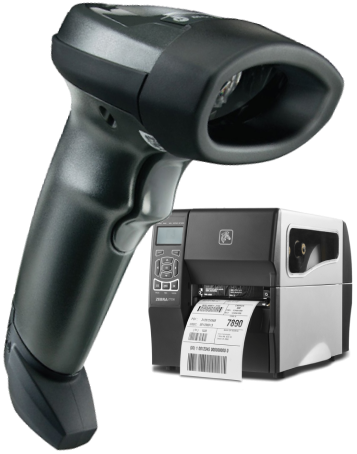
Thermal label printers

LabelWriter on the desk
Real labels, your real printer, no credit card. You get the product we sell, not a sandbox — and you know on the way in exactly what happens when the trial is up.
Whatever you build during the trial stays on your account if you subscribe.
Every cap lifts the moment you subscribe — nothing needs rebuilding.
Subscribe any time in those 60 days and your account picks up exactly where you left it.
Not all products are pre-packaged and precisely measured - but that doesn’t mean selling them through your system has to be complicated. All you need is the ScanSimple app to create the custom barcode labels you need for your products.
Schedule a video call with a ScanSimple representative to learn more about how ScanSimple can work for you and get answers to any questions you might have.
Still manually inputting code into your POS at checkout? Aside from being prone to human error, it also takes time and additional effort - time that could have been used to ring up even more sales. Make manual input a thing of the past with ScanSimple! Creating barcode labels have never been easier.
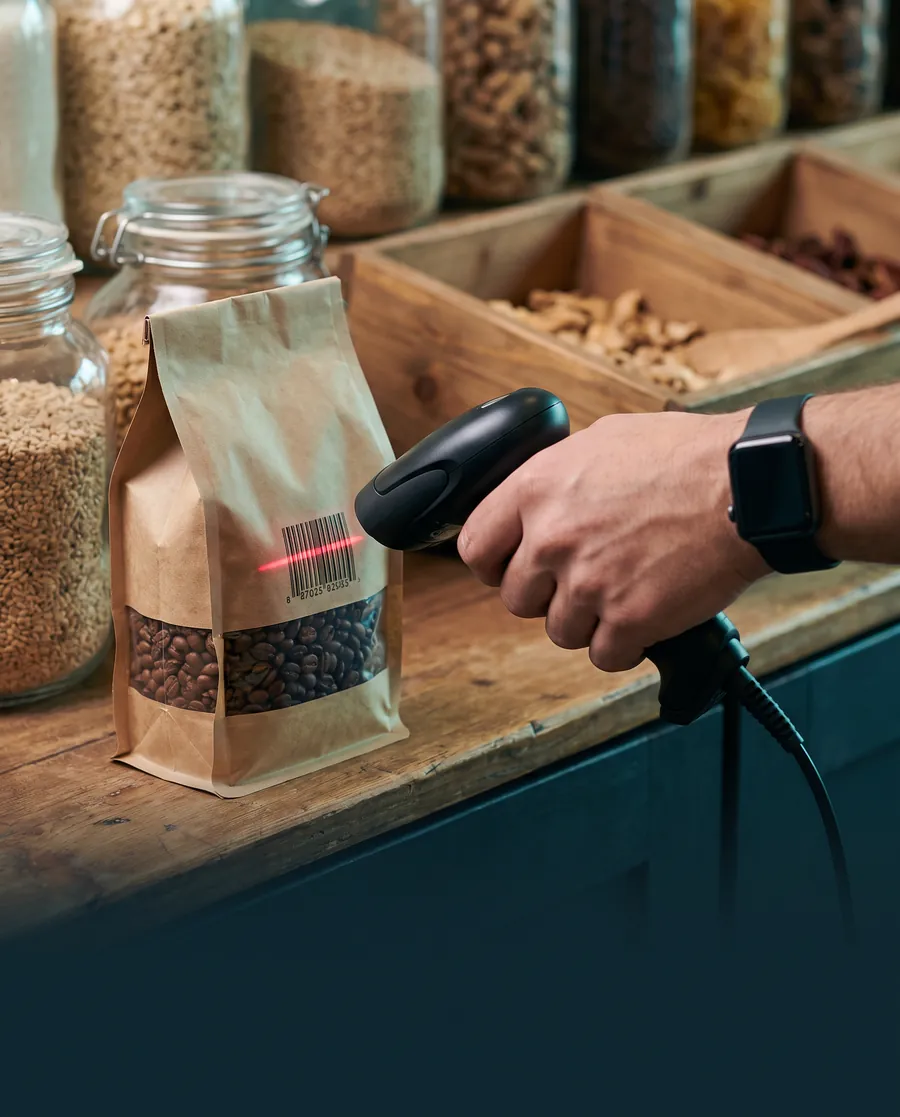 STEP 01
Scan the Universal Product Code to create a reference for the basis of your material.
Use a USB barcode scanner or your phone’s camera. The code already printed on the product becomes the base every custom-quantity label is built from, so there’s no catalog to retype.
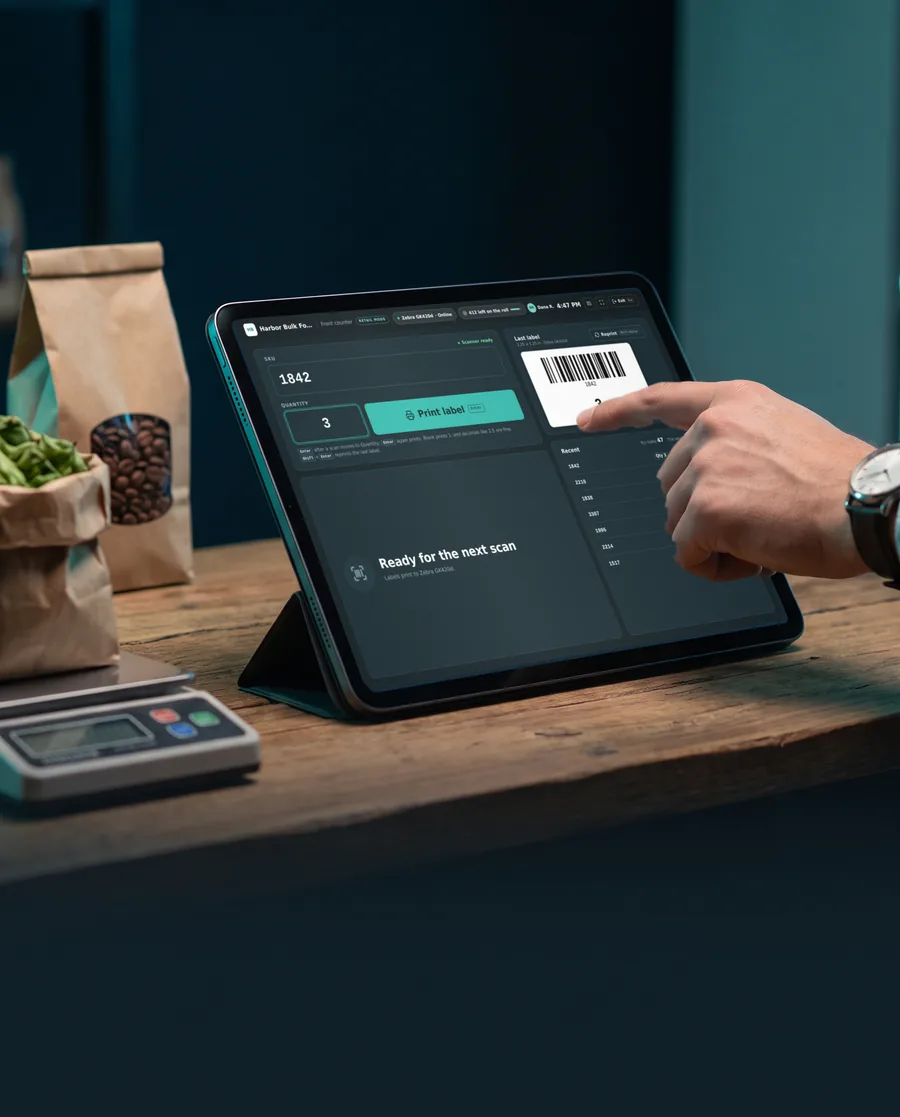 STEP 02
Input the quantity in scan format to generate an SKU for the order.
Weighed, cut to length or counted out, enter exactly what the customer is buying and ScanSimple turns it into an SKU your POS reads at checkout. On a counter tablet, Retail mode keeps it all on one screen.
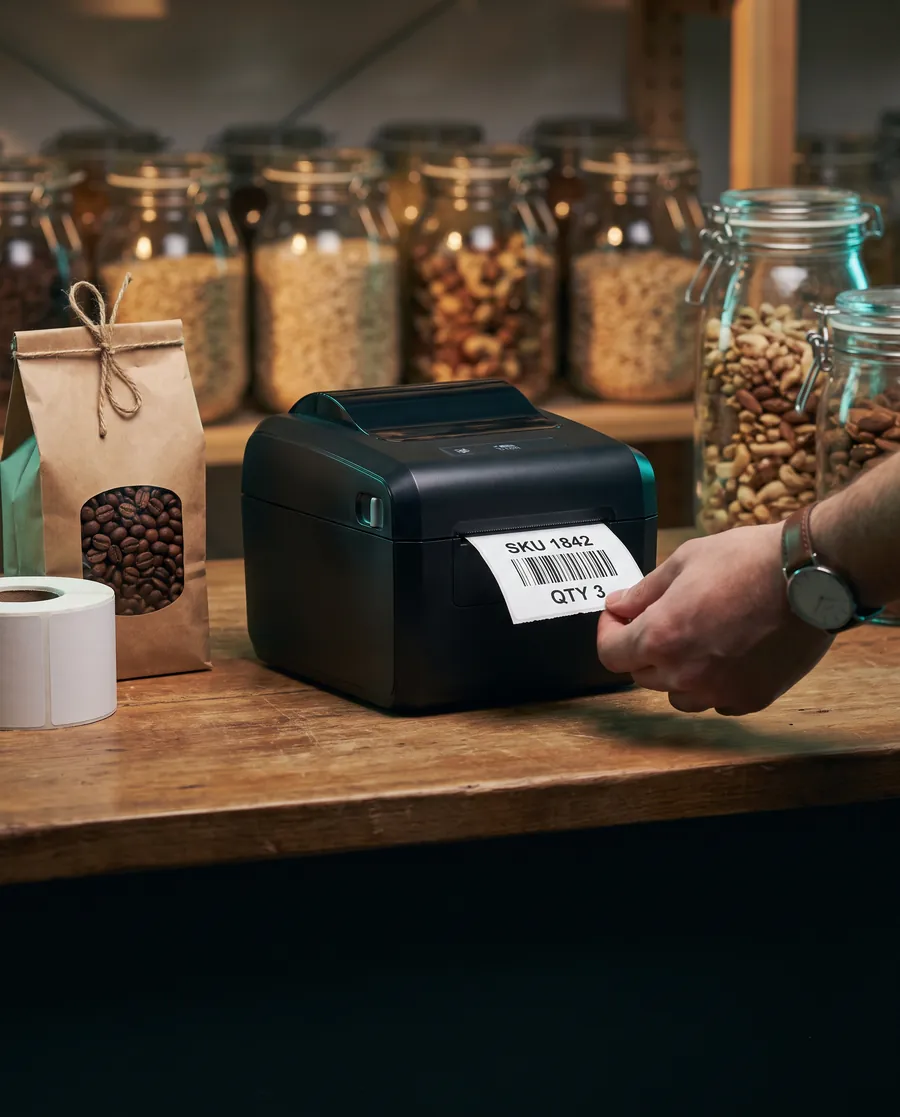 STEP 03
Print your new barcode label.
It prints straight to your Zebra or DYMO label printer, sized to the labels you already stock. Peel, stick, and the order is ready to ring up with a single scan.
Our software works with most models of Zebra and DYMO label printers — dimensions can be configured for the size of the label you need. No additional fancy equipment needed, and we’ll walk you through installation for either one.
Zebra label printers
DYMO LabelWriter
Our dashboards can be white-labeled for a more seamless integration with your company's work process.
ScanSimple works with most models of Zebra and DYMO printers, and can be used on both Mac and PC.
Get detailed step-by-step instructions on how to install Scan Simple to work with your hardware.
One app and an internet connection is all you need to create custom barcode labels right from your desktop.
Customizable size parameters for printing clear, scannable labels in the sizes you need.
From setup to troubleshooting and beyond, get the assistance you need to use Scan Simple for your business.
Every plan starts with the same 7 free days. You're only billed once you subscribe — nothing renews automatically from a trial.
then $24.99/month after, if you subscribe
Includes your first workstation. Each extra workstation $9.99/month.
then $249.90/year after, if you subscribe
Includes your first workstation. Each extra workstation $99.90/year. Works out to $20.83/month.
then $39.99/month after, if you subscribe
Includes your first workstation. Each extra workstation $14.99/month.
then $399.90/year after, if you subscribe
Includes your first workstation. Each extra workstation $149.90/year. Works out to $33.32/month.
The trial runs on Standard; choose Enterprise when you subscribe.
Start free trialReady to buy? Skip the trial and subscribe now →
No. You give us your name, a work email and your company, and you're printing within minutes. We only ask for payment when you choose to subscribe.
On day 8 your account pauses, and signing in takes you to a page where you can pick a plan. Nothing is charged automatically, because there is no card on file to charge. You subscribe when you're ready — or simply don't.
No. Your label layouts, print history and printer pairing are kept for 60 days after the trial ends. Subscribe within that window and your account comes back exactly as you left it.
Ask us. If you're mid-evaluation and need longer, our team can extend your trial.
250 printed labels during the trial. A print that fails doesn't count. Subscribing lifts the cap straight away.

 Patchwork Plus
“
Patchwork Plus
“
ScanSimple has been a lifesaver! As far as I’ve been able to find, there’s nothing else like it on the market. It’s a simple solution, but so necessary in our industry. If we had to handwrite those labels, impossible! And there was no way to get the SKU that we need to scan into our POS without having this solution. It’s been fabulous, it’s done exactly what we need and really cut down on those wait times for customers. It’s been just the solution we needed!
Owner
Get important updates, exciting news, promos, and more delivered right to your inbox!
Just fill up the form below and hit submit. We'll be sure to get back to you shortly.
Streamlining your checkout process is just a scan away. ScanSimple helps simplfy the way you label unpackaged products and more by helping you create barcode labels you can scan right at the counter.
ScanSimple prints to Zebra and DYMO label printers. Install the Scan Simple Connector on the workstation your printer is plugged into, pair it once with the 8-character code from your printer settings, then pick your printer from the list it reports back. That is the whole setup — labels print straight from the page after that.
Print custom barcode labels from every workstation in your business on one subscription. Your base licence covers the first workstation; add more from Billing whenever you need them and they join the same subscription — there is no second account to manage. The Connector runs on both Mac and PC, and the mobile add-on lets your team scan and print from a phone.
Make ScanSimple look like your business: set your company colours and upload your logo once, and every workstation on your account picks them up. Label layouts work the same way — build a template once and a new workstation starts with the ones your team already uses.
Boost efficiency and accuracy in your checkout process. Deliver a happier shopping experience for your customers. ScanSimple is the app you need to open a new world of sales possibilities.
